 Playden
Dev blog
Play with up to four controllers
Until now, only one DualSense reached a game, so the second player had nothing to do. Starting at Playden 0.10.0, up to four people can play on one PS5, each with their own controller.
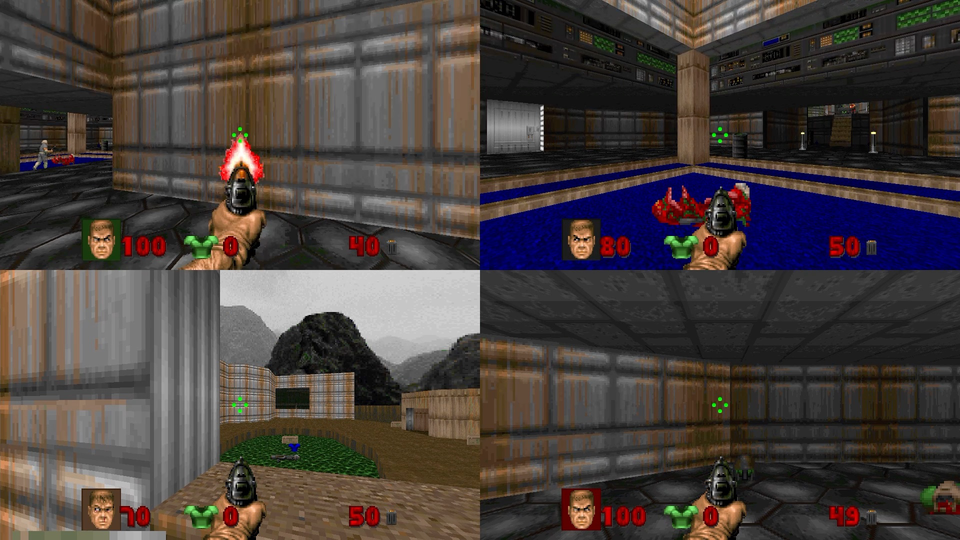
There’s no setting to turn on. Each controller only needs its own PS5 user.
Start a game with friends
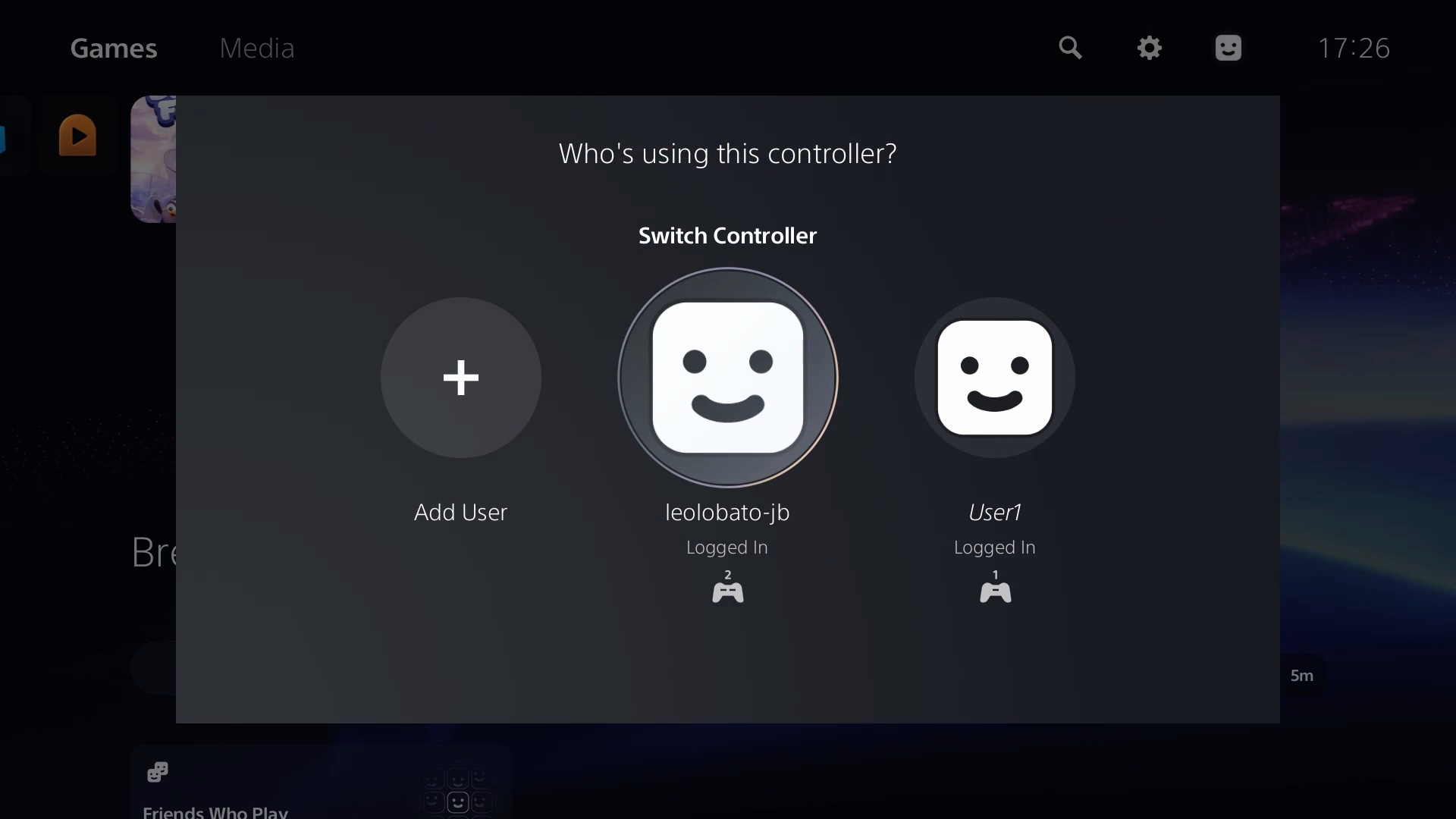
Give each controller a user
Turn on the controller and press its PS button. On “Who’s using this controller?”, choose a user, or choose Add User to sign someone in. A guest works too.
Start the game from the first controller
Do this after all the controllers are on, because some games only look for controllers when they start. If the game’s page says “Kit update first”, press Play and Playden updates the game’s runtime, the part that runs Windows games.
Join in the game
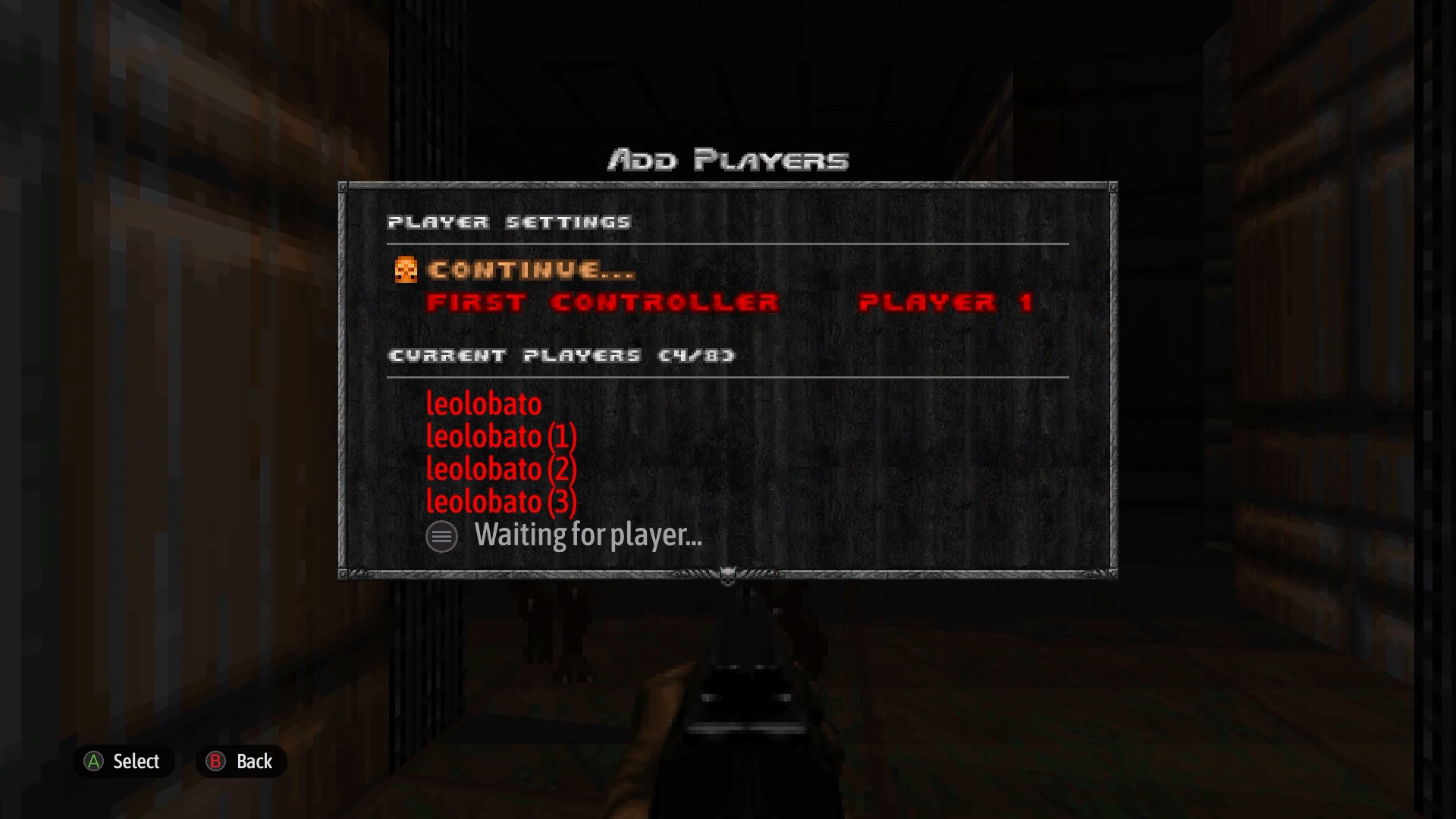
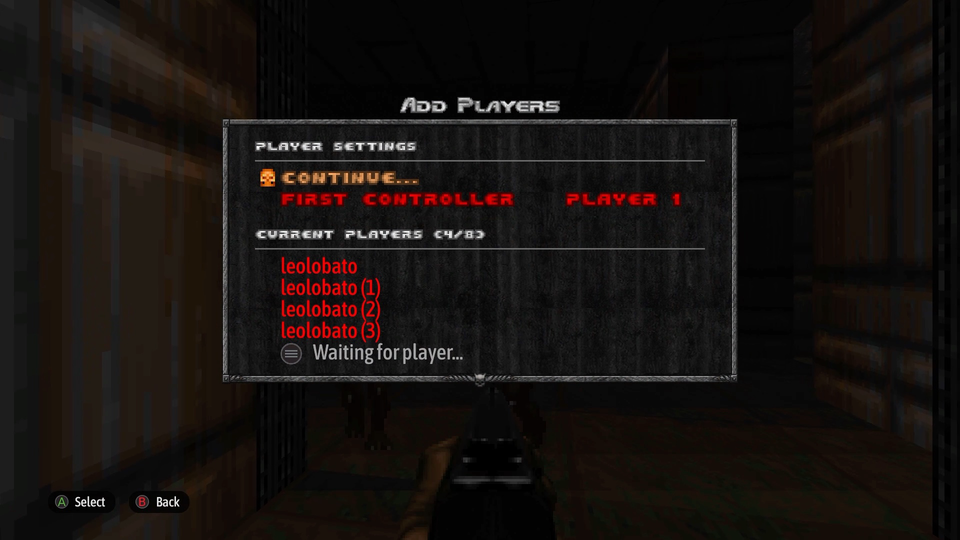
Each player joins the way that game asks. In DOOM, go to Multiplayer, then Local, and each player presses Options.
What we’ve tested
We tested these on our dev console, using software controllers rather than four real DualSense controllers:
- Four players: DOOM + DOOM II.
- Two players: Cuphead, Metal Slug 3 and Bread & Fred.
Please try your own couch games, and tell us how they went on Discord. People have asked about Unrailed!, Lost Castle, Blur and Overcooked.
See PlayStation buttons in your games
Some games show PlayStation buttons when they see a PlayStation controller. To try it, go to Game settings › Controller and choose PlayStation controller. It works with several players too.
The same screen in both modes
The setting changes only what the game sees. Your DualSense stays the same.
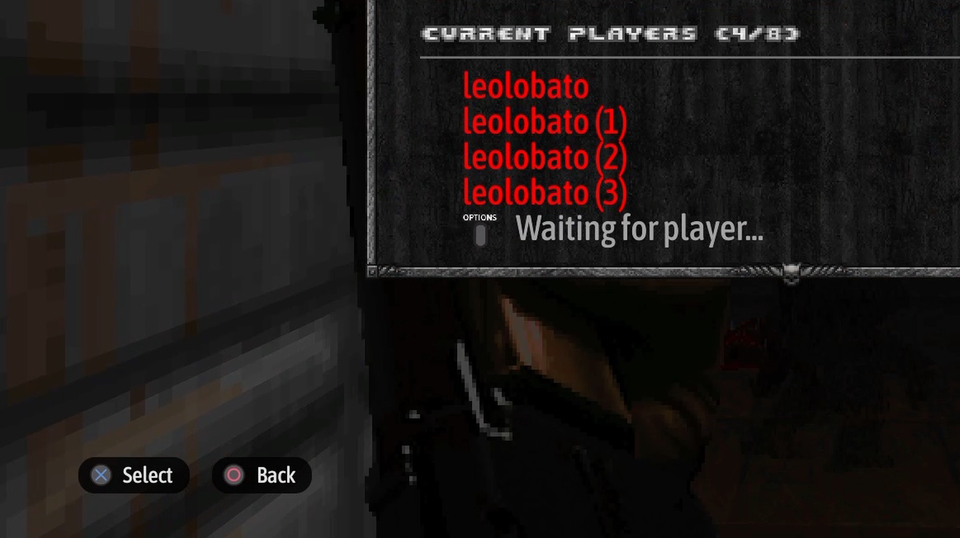
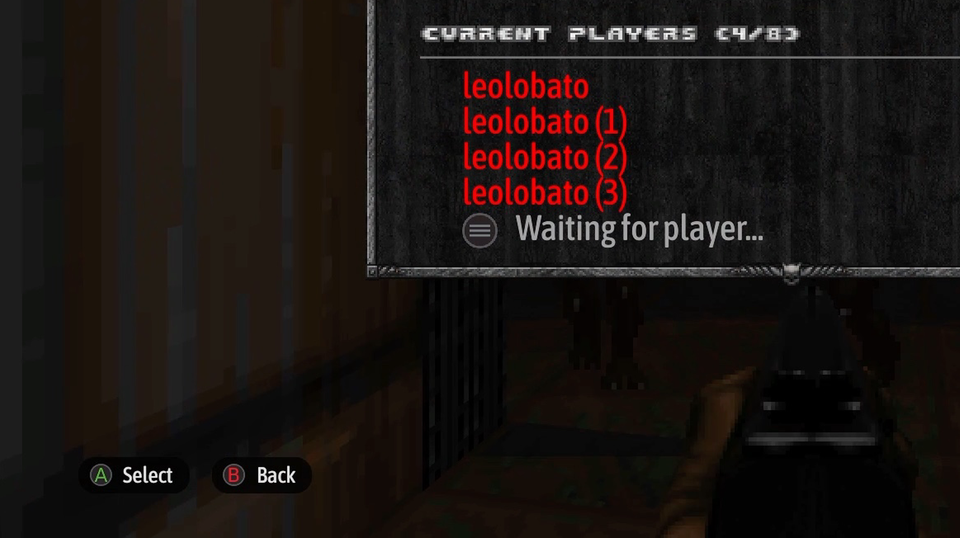
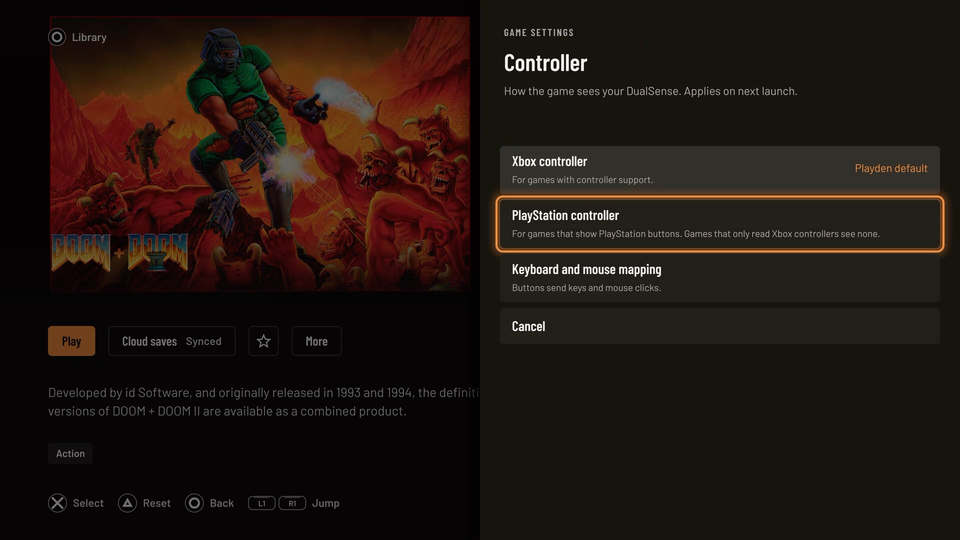
Xbox controller stays the default, because games that only read Xbox controllers don’t see a PlayStation one. Some games also keep their own button letters in either mode, as Bread & Fred does.
Thanks
Thanks to 7tg for the four-controller work in prospero-win, the compatibility layer Playden uses, and to agustt, Chelwins and Hero420m for asking for this. See you on Discord.