 Playden
 0.9.0
Playden 0.9.0 starts more games and brings DLC and updates
More Direct3D 12 games start in Playden 0.9.0, The Witcher 3 among them. You can choose a game’s language and version when you install it, get its DLC and updates, and move or uninstall games from one screen.
What’s new in Playden
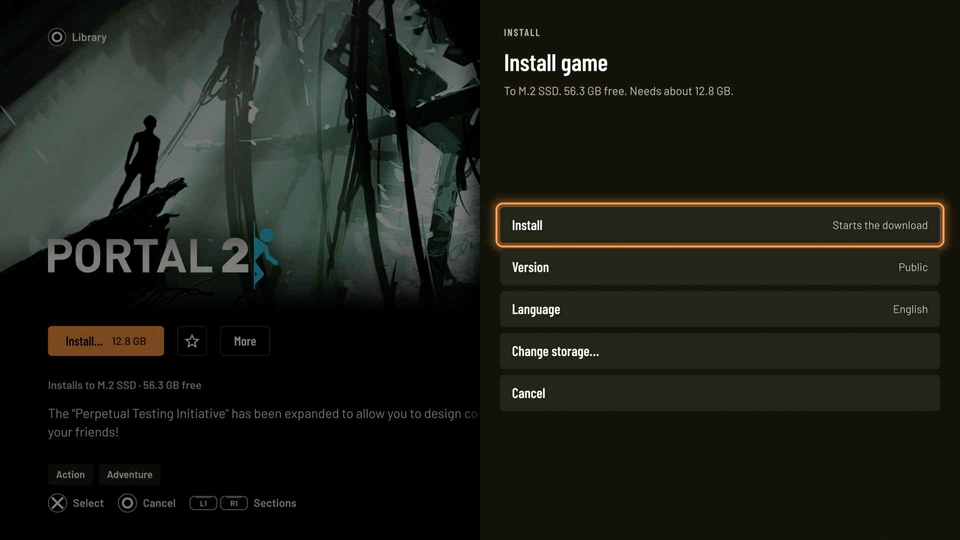
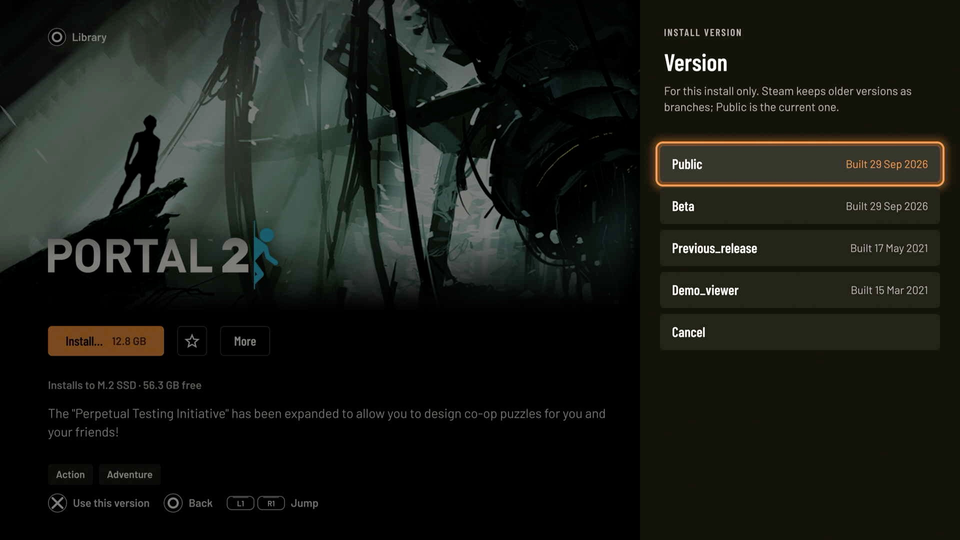
Choose a game’s language and version
Choose both on the install sheet. The version list has the public version and every Steam beta branch without a password.
To change the default language, go to Settings › Downloads › Download language.
Get DLC and game updates
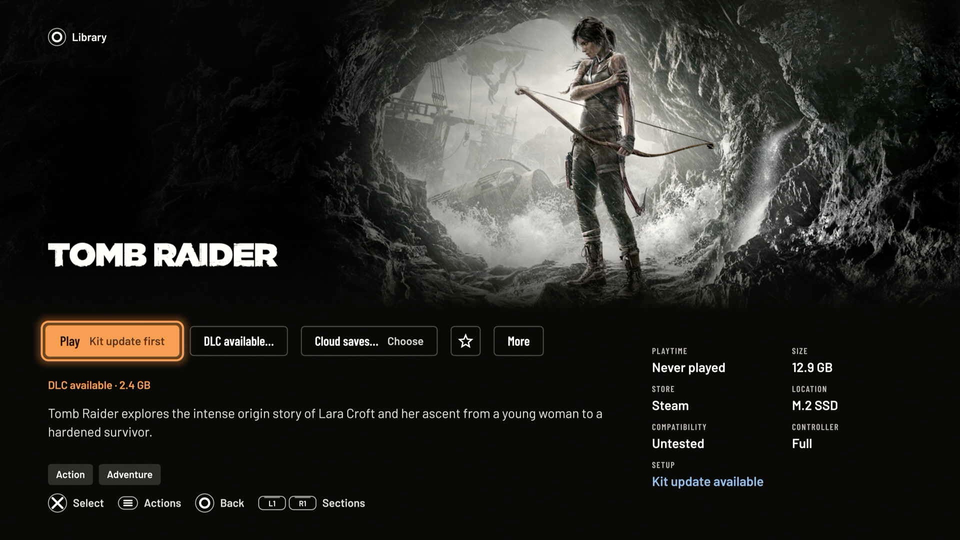
DLC you own downloads with the game, and free DLC is claimed for you. A game’s page says when new DLC is available.
It also says “Update available” when Steam has a newer build, and only the changed files download.
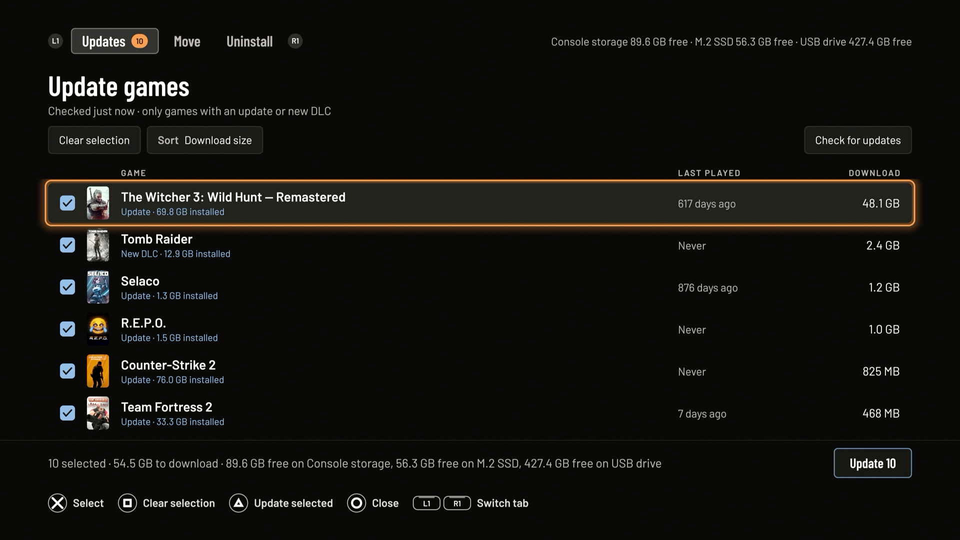
Manage your installed games on one screen
Update, move or uninstall several games at once. It’s in Settings › Storage › Manage installed games.
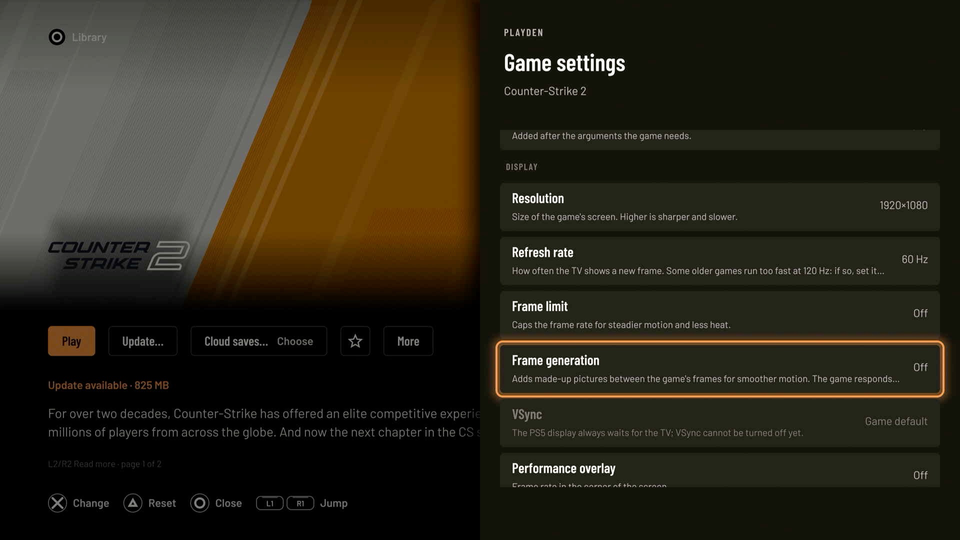
Try frame generation
Show 2, 3 or 4 times the frames a game draws. It’s in Game settings › Display › Frame generation, and it doesn’t work with every game.
Also new in 0.9.0
- More Direct3D 12 games start. The Witcher 3 (next-gen) and WheelMates are among them, and Unreal Engine 5 games now use Direct3D 12 by default.
- Exact sizes. The install sheet and updates show the real size, not Steam’s estimate.
- Older games that need PhysX now get it on their first Play, instead of closing at start.
- Batman: Arkham Asylum and Arkham City start, past their settings launcher.
- A game’s settings launcher can run by itself. In Game actions, choose Run a program once. The next Play starts the game.
- Games without artwork show their own icon on PS5 Home, in the Library and on the Saves tab.
- Logs in a browser. While Playden is open, any browser on your network can read its logs at
http://<PS5 IP>:7031/. You can turn this off in Settings › Web access.
What’s new in your games
The 0.9.0 update also brings a new Playden runtime, the part that runs Windows games. These changes work in every game, with no setting:
- Rumble. Games now vibrate the DualSense, L2 and R2 included. You can set the strength in Game settings › Controller tuning › Rumble.
- The PS5 keyboard. A two-finger touchpad click opens the on-screen keyboard over the game, for chat lines, save names and console commands.
- USB mouse wheel. The scroll wheel now reaches the game.
- A safer way to close a game. Hold Options and Create for 3 seconds. Games that use Start and Select together no longer close by accident.
- Fewer “Too many open files” stops. This was behind Euro Truck Simulator 2 failing to save, and imported Unreal Engine 3 games that stopped loading.
- Less memory used at start. Games that create thousands of small tasks no longer run out of memory when they start.
Please try these games
These should work now, or better than before. Reports that a game works are just as welcome as reports that it doesn’t, so please send a test report either way.
- Dead by Daylight should reach its title screen. Its login needs online play, which doesn’t work yet.
- Euro Truck Simulator 2 should create a profile and save.
- Disney Dreamlight Valley should start without the
GfnRuntimeSdk=doverride. Remove it, then use Maintenance › Repair. - WheelMates and Hellblade II: Senua’s Saga should get past “DirectX 12 is not supported”.
- Alan Wake should draw with no changed settings.
- CHAOS;HEAD NOAH should start now that its free DLC downloads.
- Monster Hunter: World should have Iceborne and its add-ons unlocked.
- HoloCure should open the PS5 keyboard on its name screen.
- Cat Quest, Fallout 4, The Witcher 3 and Hexcells should sync their Cloud saves.
If you set up a game before this update, it keeps its old program and graphics. To test it, use Maintenance › Recreate bottle or install it again.
How to update
- From 0.6.0 or newer: Playden offers the update the next time it starts, or you can use Settings › Updates › Check now. The download is 470 MB. First, make sure console storage has at least 8 GB free, in PS5 Settings › Storage. Your sign-in, games, saves and Game settings are kept.
- From 0.9.0-beta.4: do the same, but only the app downloads (40 MB).
- From 0.5.0 or older: update to 0.6.0 first, then let Playden update itself.
- New to Playden: follow the install guide.
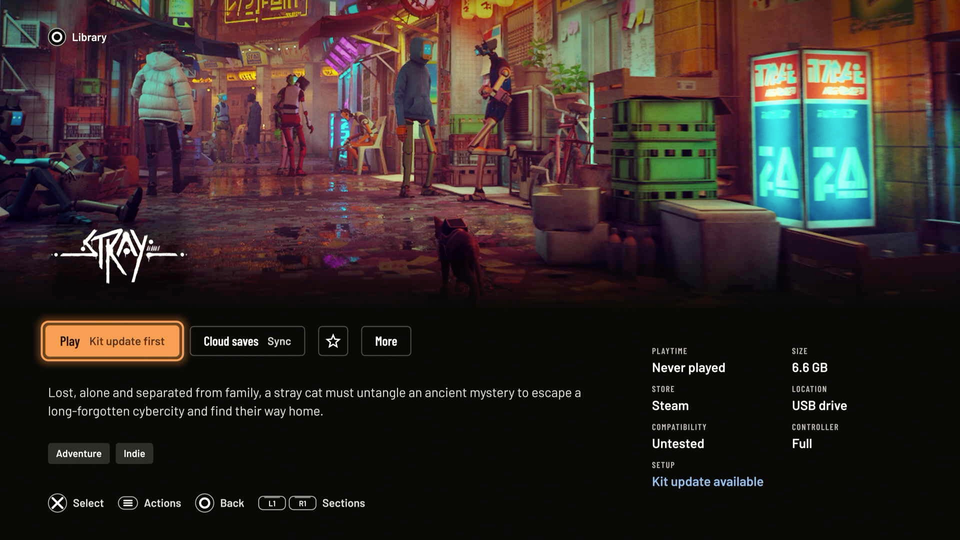
After the update, games you already set up show “Kit update available” on their page. Press Play to update their runtime and start the game. Until then, they keep running on their old runtime from PS5 Home.
What still doesn’t work
- Online play doesn’t work. Games find no servers or say Steam is offline.
- Some games start only once. Later starts fail until the PS5 restarts. Buckshot Roulette, Hatred, The Binding of Isaac: Repentance+ and Half-Life are among them.
- Games that start another program don’t start, such as games with a launcher you must go through.
- Some Direct3D 12 games still don’t run, including Subnautica 2, CONTROL Resonant and Assetto Corsa EVO.
The full release notes list every fix and known issue.
Thanks
Thanks to mpereiraesaa for prospero-win, the compatibility layer Playden uses, and for most of this new runtime. Thanks also to mihawk-99 for MihawkGen, the frame generation, and to jonnylitten, 7tg, ozcho, Portablelle, larryliu985 and earthonion for their changes.
This release also came from your test reports, on GitHub and on Discord. The release notes name everyone who sent one. Thank you, and please keep them coming.